Do you want to block spam calls on iPhone once and for all without missing important calls from your doctor or delivery driver? Unsolicited robocalls are more than just a minor annoyance, they represent a persistent threat to your privacy and personal security practices. Fortunately, Apple offers several built-in layers of protection, and cellular carriers provide secondary lines of defense that can stop these disruptions before your screen even lights up. In addition, third-party applications can fill the remaining gaps by analyzing caller reputation database networks in real time.
Indeed, relying on a single setting is rarely enough because scammers constantly evolve their tactics to bypass basic filters. This guide explains how these systems work together and which configurations actually stop the noise. Consequently, you will understand how to build a multi-layered defense system that fits your lifestyle without blocking the people who actually need to reach you.
Why spam calls keep hitting your number
Many smartphone users wonder why their phone numbers suddenly become targets for hundreds of automated calls. This happens because robocallers use automated dialing software to scan sequential numbers, looking for active lines that pick up. Furthermore, bad actors use Voice over Internet Protocol (VoIP) systems to generate millions of calls per minute for fractions of a cent.
Therefore, the cost of running a massive spam campaign is incredibly low, which encourages scammers to keep dialing. According to RoboKiller (2023), Americans received over 79 billion spam calls in 2022, demonstrating the sheer scale of this automated onslaught. Understanding how these networks operate is the first step toward shutting them out of your device.
The mechanics of neighbor spoofing
To make you answer, scammers frequently employ neighbor spoofing, a technique where they fake the caller ID to match your local area code and prefix. From experience, this is the most effective psychological trick scammers use because humans are naturally curious about local numbers. When you answer these spoofed calls, you inadvertently flag your number as active in their database, which leads to even more inbound spam over the following weeks.
Key takeaway: Spammers use automated VoIP software to dial millions of numbers cheaply, leveraging local area codes to trick you into answering and verifying your active number.
How to block spam calls on iPhone using built-in settings
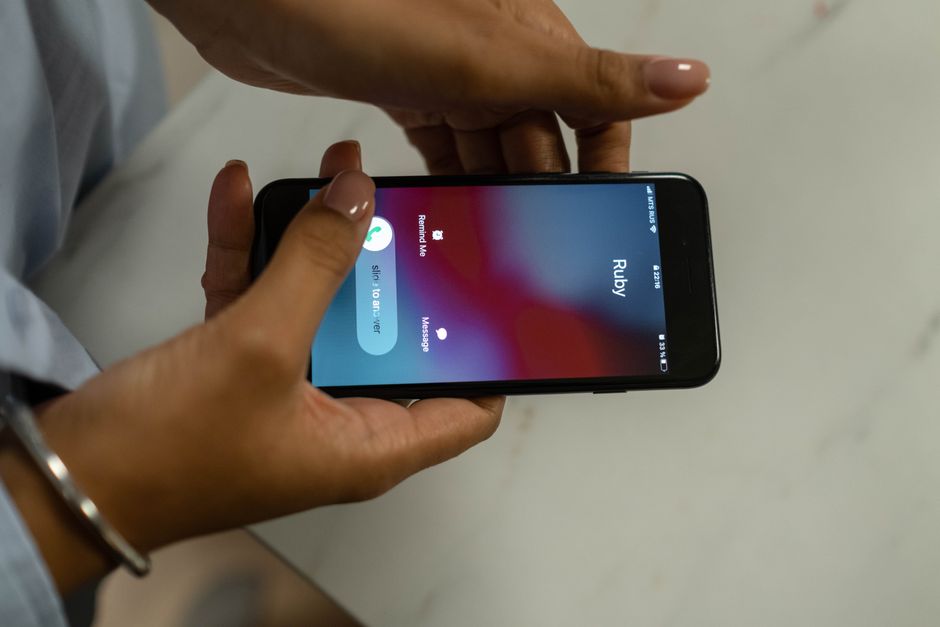
Apple provides a native feature called Silence Unknown Callers, which acts as a strict gatekeeper for your device. When you enable this setting, your phone only rings for numbers found in your Contacts, Mail, Messages, or recent outgoing calls. All other calls go straight to your voicemail without making a sound or showing an alert.
Consequently, this completely silences the noise of random automated dialers and spoofed local numbers. The caller can still leave a message, and you will see the call in your recent history list, but your day remains completely uninterrupted.
The Silence Unknown Callers trade-off
However, a common mistake here is assuming this feature has no downsides, but it comes with a major practical trade-off. For example, if a medical professional calls you from a hospital block, or if a delivery driver is trying to find your apartment, their calls will go straight to voicemail. Furthermore, two-factor authentication calls from banking services might also get silenced if they route through random service numbers. That said, if you primarily use text messages for informal business or have already saved your essential contacts, this single toggle remains the absolute fastest way to eliminate unwanted interruptions.
Key takeaway: The native Silence Unknown Callers setting instantly stops unsaved numbers from ringing your phone, though it may also silence legitimate, unexpected calls.
How carrier-level database filtering stops scammers
If you cannot afford to miss calls from unknown numbers, carrier-level blocking is your next best option. Major networks run real-time analysis on call traffic to identify suspicious patterns before the signal even reaches your local cell tower. Fortunately, carriers have access to deep network telemetry, which allows them to verify call origin signatures.
Under the Stir/Shaken protocol, carriers must cryptographically validate that a caller has the right to use the phone number they are displaying. Therefore, when a call fails this validation, your carrier can block it or label it as potential spam before your phone even processes the incoming signal.
Carrier tools compared
To help you choose the right carrier option, it helps to understand what the major providers offer on their networks. While these services work on the network level, they each use proprietary databases that update multiple times per day to catch active scammers.
| Carrier App | Free Tier Features | Paid Tier Features | Network Integration |
|---|---|---|---|
| AT&T ActiveArmor | Spam blocking, nuisance call alerts, system security scans. | Reverse number lookup, caller ID, public Wi-Fi protection. | Excellent, blocks at network level before delivery. |
| Verizon Call Filter | Spam detection, filter controls, spam reporting. | Caller ID, spam lookup, personal block list. | Very strong, deeply integrated into Verizon lines. |
| T-Mobile Scam Shield | Scam ID, scam block, caller ID. | Proxy phone numbers, personal block list, category blocking. | Highly proactive, stops calls before the device rings. |
In my experience, downloading your specific carrier’s app, such as AT&T ActiveArmor, is highly effective because it operates directly on the infrastructure level rather than relying solely on local device rules.
Key takeaway: Carrier security apps stop spam at the network level by verifying caller identity through modern security protocols before the call reaches your phone.
Why third-party database lookup is the final line of defense
When built-in settings and carrier filters still fail to block spam calls on iPhone, third-party security software can bridge the gap. Programs like RoboKiller and Hiya maintain massive, crowdsourced blacklists that update every few minutes. These programs integrate with iOS using the Call Directory extension framework, which allows them to identify and block calls without accessing your private call history.
However, these tools require a subscription to access their full databases, which might not appeal to users looking for a free solution. According to the Federal Trade Commission (2024), consumers reported losing over 10 billion dollars to fraud in 2023, showing why investing in a premium blocker might be worth the cost. By paying for a subscription, you gain access to proactive defenses that analyze global call metadata in real time.
The real-time lookup delay
What most guides miss is that third-party apps do not perform a live search over the internet the second your phone rings. Instead, iOS requires these apps to download an offline database of spam signatures directly to your local storage. Therefore, if you do not open the app regularly to refresh this local list, the system will fail to block spam calls on iPhone.
Key takeaway: Third-party database apps provide highly detailed, crowdsourced blocking lists, but they require regular manual updates to remain effective against new spam numbers.
Conclusion
Managing unwanted phone calls requires a balance between strict blocking rules and open communication lines. While there is no single setting that blocks every spammer without affecting normal operations, combining iOS tools with carrier filters offers a highly robust solution.
For most users, enabling carrier-level protection through apps like T-Mobile Scam Shield or Verizon Call Filter provides the best of both worlds. Furthermore, you can review your general iOS settings to keep your system clean and secure.
Take five minutes today to configure your carrier security application, and then consider activating the native iOS silencing feature during your focused work hours. This deliberate setup ensures that you protect your time while remaining accessible to those who actually need to reach you.Cover image by: cottonbro studio / Pexels