Few things are as frustrating as watching your phone battery drain rapidly throughout the day, leaving you scrambling for a charger. It’s a common issue, and if you’re like most tech-savvy but time-poor professionals, you want to understand the ‘why’ quickly and get to the ‘how’ even faster. This isn’t just about old batteries; even new devices can suffer from significant power depletion if not managed correctly. We’ll cut through the noise to explain what’s really happening under the hood and provide concrete, actionable strategies to keep your device powered up longer, ensuring it serves you reliably from your first coffee to your last email.
What’s actually going on inside your phone
At its core, your smartphone is a compact computer, constantly performing tasks that consume energy. Every pixel lit, every calculation made, every network ping, and every sensor activated draws power from the lithium-ion battery. The operating system (OS) acts as the central orchestrator, managing these demands, but it’s often a balancing act between performance and power efficiency. Modern phones pack incredibly powerful processors, high-resolution screens, and multiple radios (Wi-Fi, Bluetooth, cellular, GPS), all of which contribute to the energy footprint.
The invisible power consumers
Many processes that contribute to battery drain operate silently in the background, out of immediate sight. Think about apps constantly checking for new emails, refreshing social media feeds, or tracking your location even when you’re not actively using them. Furthermore, background system services manage everything from syncing cloud data to updating widgets, all demanding a slice of your battery pie. What most guides miss is that often, it’s not one single culprit but a combination of many small, concurrent activities that add up to significant power consumption.
Key takeaway: Your phone’s battery powers a complex ecosystem of visible and invisible tasks, many of which run in the background.
Why your phone battery drains so quickly
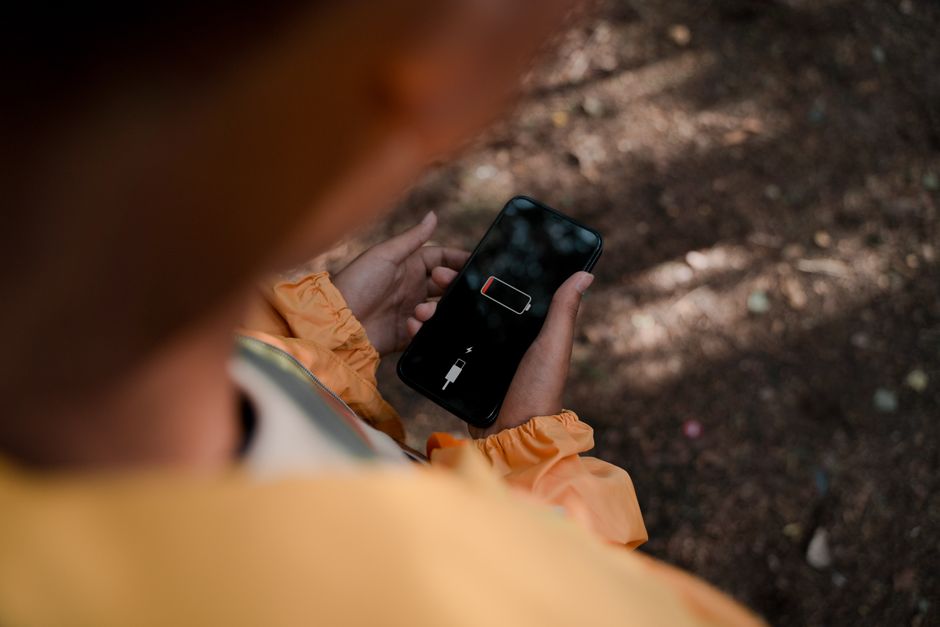
Several factors contribute to rapid battery depletion, ranging from hardware characteristics to software behavior and even your personal usage patterns. High-brightness screens are notorious power hogs, especially on OLED displays where every lit pixel demands energy. Processor-intensive tasks like gaming, video editing, or running augmented reality apps push the CPU and GPU, leading to higher power draw and heat generation, which further degrades battery efficiency.
Software and hardware culprits
Beyond screen brightness, cellular signal strength plays a crucial role. When your phone struggles to maintain a strong connection in an area with poor coverage, its cellular radio works harder, consuming substantially more power. Similarly, an abundance of push notifications or frequent background app refreshes can wake your phone’s processor repeatedly, preventing it from entering low-power states. According to analytics firm Sensor Tower (2023 data), the average smartphone user spends over 4 hours daily using apps, with social media and video streaming platforms often topping the list for background activity and resource consumption, directly correlating to battery drain.
Key takeaway: Rapid battery drain is often caused by a combination of high screen brightness, poor network signal, and excessive background app activity.
The unseen impact of a dying battery
A fast-draining battery isn’t just an inconvenience; it affects your productivity, privacy, and even your device’s longevity. Constantly worrying about your battery percentage can lead to “charger anxiety,” forcing you to alter plans or carry cumbersome power banks. More critically, as your battery degrades, your phone’s overall performance can suffer. Manufacturers, to prevent unexpected shutdowns with aging batteries, sometimes throttle the CPU, making your phone feel slower and less responsive.
More than just inconvenience
Consider the impact on critical communications. A dead phone means missed calls, lost messages, or being unable to access essential information when you need it most. From experience, relying on a phone with an unpredictable battery can disrupt workflows and cause missed opportunities. Furthermore, constantly charging and discharging rapidly contributes to the overall wear and tear on the lithium-ion cells. Battery research indicates that lithium-ion batteries, typical in smartphones, usually retain about 80% of their original capacity after 300-500 charge cycles, often reached within 1-2 years of regular use (Battery University, 2023).
Key takeaway: A rapidly draining battery impacts more than just convenience, affecting performance, reliability, and the device’s lifespan.
Practical steps to extend your phone’s battery life
The good news is you have significant control over how long your phone’s battery lasts. It starts with understanding and adjusting settings that often go unnoticed. One of the simplest yet most effective changes is to reduce screen brightness. Most phones have an adaptive brightness setting that learns your preferences, but a manual adjustment to a lower, comfortable level can save considerable power. Another crucial area is location services; many apps request constant access, even when they don’t truly need it. Restricting location access to “while using the app” or “never” for less critical apps makes a huge difference.
Prioritize key adjustments
Here’s a breakdown of actions you can take:
- Manage background app refresh: For iOS, go to Settings > General > Background App Refresh and disable it for non-essential apps. On Android, check Settings > Apps & notifications > See all apps, select an app, then Battery > Background restriction. A common mistake here is thinking disabling background refresh means you won’t get notifications; push notifications generally bypass this setting and still arrive promptly.
- Optimize network usage: If you’re in an area with poor cellular signal, switch to Wi-Fi if available, or even consider enabling Airplane Mode if you don’t need connectivity. Similarly, disable Bluetooth and Wi-Fi scanning when not in use.
- Utilize Dark Mode: For phones with OLED screens (most modern flagships), enabling Dark Mode can significantly reduce power consumption as black pixels are essentially turned off, drawing no power.
- Check battery usage stats: Both Android and iOS offer detailed battery usage information in their settings. This is your most powerful diagnostic tool. Identify which apps or services are consuming the most power and address them directly. For Android, I often recommend using an app like AccuBattery to get more granular data on battery health and discharge rates.
- Review notifications: Constant notifications wake your screen and processor. Be ruthless about which apps are allowed to send alerts.
- Keep software updated: OS updates often include crucial battery optimizations and bug fixes. Staying current is key for overall performance and battery efficiency.
These strategies, when applied consistently, can dramatically improve your mobile technology experience.
Key takeaway: Proactively manage screen brightness, background app activity, network connectivity, and notifications to extend your battery life.
Conclusion
Understanding why your phone battery drains fast is the first step toward reclaiming control over your device’s endurance. It’s rarely one single issue but rather a combination of hardware demands, software behaviors, and your personal interaction patterns. By adopting a more conscious approach to screen brightness, background app management, network settings, and notifications, you can significantly extend your battery’s lifespan and, by extension, your device’s usability throughout the day. Don’t underestimate the cumulative effect of these small adjustments. Implementing even a few of these practical steps will lead to a noticeable difference, reducing your reliance on power outlets and ensuring your phone remains a reliable tool, not a constant source of anxiety. Take control today and see how much more productive you can be when you’re not constantly searching for a charger. For more ways to optimize your digital life, check out our productivity guides.
Cover image by: Ron Lach / Pexels