If you regularly drop calls or watch videos buffer endlessly, learning how to improve phone signal is the only way to reclaim your productivity. Many users assume their carrier is solely to blame when reception drops to a single bar inside their home or office.
However, cellular networks rely on high-frequency radio waves that must navigate a complex physical landscape before reaching your device. Understanding how these signals propagate allows you to apply targeted, highly effective fixes rather than relying on placebo tricks like holding your phone in the air. This guide explains the physics of cellular reception, the hidden costs of weak signals on your hardware, and the practical methods that actually work to resolve coverage issues.
What is actually going on with your connection
Your smartphone constantly communicates with cellular towers using radio frequency signals. These signals exist on specific bands, which are slices of the electromagnetic spectrum allocated to cellular carriers. When you see signal bars on your screen, you are looking at a highly simplified, non-standardized representation of signal strength. In fact, different phone manufacturers use different algorithms to decide how many bars to display for the exact same reception quality.
Therefore, to accurately diagnose your coverage, you must look at the actual decibel-milliwatts (dBm) value. This value is a logarithmic scale where numbers closer to zero indicate a stronger signal. For example, a reading of -50 dBm represents excellent coverage, while -120 dBm indicates a dead zone where calls will likely drop.
Understanding dBm versus signal bars
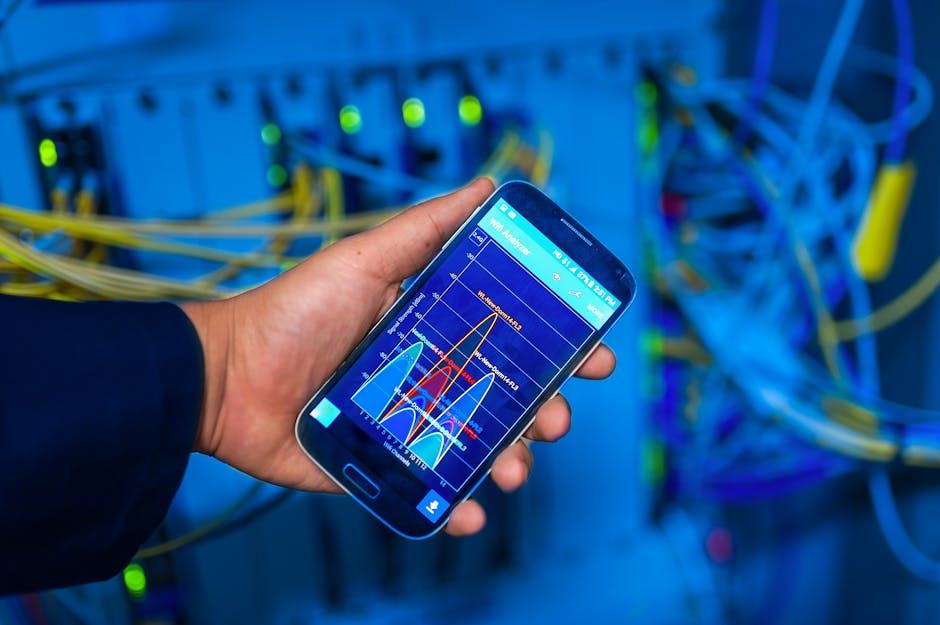
To find your real signal strength, you can access your phone’s hidden field test mode or use a dedicated diagnostic application. On Android devices, tools like Network Cell Info Lite reveal your real-time dBm levels instantly. In my experience, relying on visual bars often leads to frustration because a phone showing three bars might actually be experiencing severe signal degradation due to network congestion or local interference. Knowing the raw dBm value allows you to measure precisely whether your troubleshooting steps are working.
Key takeaway: Visual signal bars are unreliable indicators of network quality, making raw dBm measurements essential for accurate troubleshooting.
Why bad reception happens in modern buildings
Many users notice their signal drops the moment they walk indoors, even if they live close to a cell tower. This drop occurs because radio waves lose energy as they pass through solid obstacles, a physical phenomenon known as attenuation. Different materials absorb or reflect radio frequencies at varying rates.
In addition, modern construction standards prioritize energy efficiency over cellular transparency. According to a JD Power study (2023), network quality is the top driver of carrier satisfaction, yet over 15% of users still experience regular dropouts indoors due to building design. Thick concrete walls, metal framing, and foil-backed insulation act like a shield, turning your home or office into a partial Faraday cage that blocks external signals.
The unexpected impact of green building materials
The most common culprit in modern homes is low-emissivity (Low-E) glass, which features an invisible metal oxide coating designed to deflect heat. While this coating reduces your heating and cooling bills, it also reflects radio frequency waves directly away from your home. In practice, I have seen clients install energy-efficient windows only to find their indoor cellular signal completely destroyed overnight. This means that even if you live in an area with great outdoor coverage, your building envelope might be fighting against your device.
Key takeaway: High-efficiency construction materials like Low-E glass and concrete act as physical shields that severely attenuate incoming cellular signals.
What a weak signal costs your device
Poor reception is not just an inconvenience that causes choppy audio, it also actively damages your device’s overall performance. When your phone detects a weak signal, it does not simply give up. Instead, the device instructs its internal power amplifier to boost its transmission wattage in an attempt to maintain a connection with the nearest tower.
Furthermore, this constant power scaling has a dramatic impact on battery life. According to Pew Research Center (2024), 97% of Americans own a smartphone, making reliable connectivity a basic daily necessity that directly impacts battery endurance. When your phone operates at maximum transmission power, it generates excess heat and drains the battery up to twice as fast as it would in a strong coverage area.
How signal search destroys your battery life
To illustrate this impact, consider a smartphone left in a basement with a marginal -115 dBm signal. The phone continuously broadcasts search pings at maximum power, causing the processor and radio hardware to remain in a high-power state. In contrast, the same phone in a strong signal area stays in a low-power standby mode for most of the day. Over time, this constant heat and rapid discharging degrade the chemistry of your lithium-ion battery, shortening the overall lifespan of your expensive hardware.
Key takeaway: Operating in low-signal environments forces your phone to transmit at maximum power, causing severe battery drain and long-term hardware wear.
How to actually improve phone signal today
If physical blockages are ruining your reception, you must adopt solutions that either bypass these obstacles or amplify the remaining signal. The most immediate and cost-effective solution is Wi-Fi calling, which routes your voice calls and text messages over your local internet connection instead of cell towers. This feature is built into almost all modern smartphones and costs nothing to use, making it an excellent first line of defense.
However, if your local internet connection is slow or unstable, you may need to invest in dedicated hardware like a cellular signal booster. These devices use an external antenna mounted on your roof to capture the outdoor signal, bring it inside via a coaxial cable, and amplify it through an indoor antenna. For those who cannot mount external antennas, a network extender connects directly to your router to create a mini-cell tower in your living room.
Choosing between Wi-Fi calling and cell boosters
To decide which path is right for you, evaluate your broadband access and building type. Wi-Fi calling is ideal for renters and budget-conscious users because it requires no extra hardware, though it depends entirely on your home router’s performance.
On the other hand, cellular boosters like those from weBoost are superior for large properties or office buildings where multiple users need reliable coverage without logging into a local network. They grab the existing outdoor signal, run it past the physical barrier of your walls, and rebroadcast it inside.
Consequently, the part that actually matters is avoiding antenna feedback during installation. If you place the indoor and outdoor antennas too close together, they create a feedback loop called oscillation, which causes the booster to automatically reduce its power or shut down entirely. To prevent this, always maintain at least twenty feet of vertical distance or fifty feet of horizontal distance between your antennas.
Key takeaway: You can bypass physical reception barriers by routing communication over Wi-Fi or by installing a dedicated booster with properly separated antennas.
Making the right connectivity choice
Navigating poor cellular reception requires a systematic approach that matches your specific environment to improve phone signal. While software tweaks and reset tricks offer temporary relief, structural blockages demand physical or protocol-level solutions. By identifying your actual signal strength in decibels and identifying the specific building materials at play, you can choose the most efficient path forward. Whether you choose the seamless integration of Wi-Fi calling or the robust power of a hardware booster, the goal is to stop your phone from working harder than it needs to.
Optimizing your local network settings
Before purchasing expensive hardware, check your carrier settings and update your device’s carrier partition. Sometimes, a simple network settings reset forces your phone to download an updated roaming list, allowing it to connect to newer, closer towers that your phone was previously ignoring. What most guides miss is that carriers push these updates silently, meaning an outdated tower database can artificially degrade your connection even in strong coverage areas.
Key takeaway: Diagnose your signal with dBm readings first, then choose Wi-Fi calling for budget fixes or cellular boosters for structural coverage issues.
Conclusion
In conclusion, bad reception is rarely a problem without a solution if you understand the underlying science. By shifting your focus from arbitrary screen bars to precise dBm measurements, you can objectively evaluate your environment, learn how to improve phone signal, and make informed decisions.
That said, you do not have to live with dropped calls or slow data speeds. For most users, enabling Wi-Fi calling is the fastest and most cost-effective way to bypass indoor physical blockages entirely without spending a dime.
However, if your home broadband is unreliable or you need a solution that covers multiple users seamlessly, investing in a high-quality hardware booster like a weBoost system is the gold standard. To learn more about optimizing your home network setups, explore our archive of guides in our networking category. Take control of your connectivity today by measuring your raw signal strength and selecting the targeted solution that fits your space.
Cover image by: panumas nikhomkhai / Pexels