Welcome to the world of **ChatGPT for beginners**, a powerful artificial intelligence tool that is reshaping how we work and create. In today’s fast-paced environment, finding ways to maximize efficiency and streamline tasks is more crucial than ever. ChatGPT, a large language model developed by OpenAI, offers an accessible entry point into the transformative potential of AI. It can assist with everything from drafting emails and brainstorming ideas to summarizing complex documents and even writing simple code.
Furthermore, understanding how to harness this technology is no longer just for tech enthusiasts; it’s becoming a fundamental skill for professionals across all industries. This comprehensive guide is designed specifically for you, the beginner, to demystify ChatGPT and show you practical, actionable ways to integrate it into your daily routine. By the end of this article, you will possess a solid foundation in using ChatGPT to significantly enhance your productivity, allowing you to focus on more strategic and creative endeavors. Let’s embark on this journey to unlock your potential.
Getting started with ChatGPT: the basics
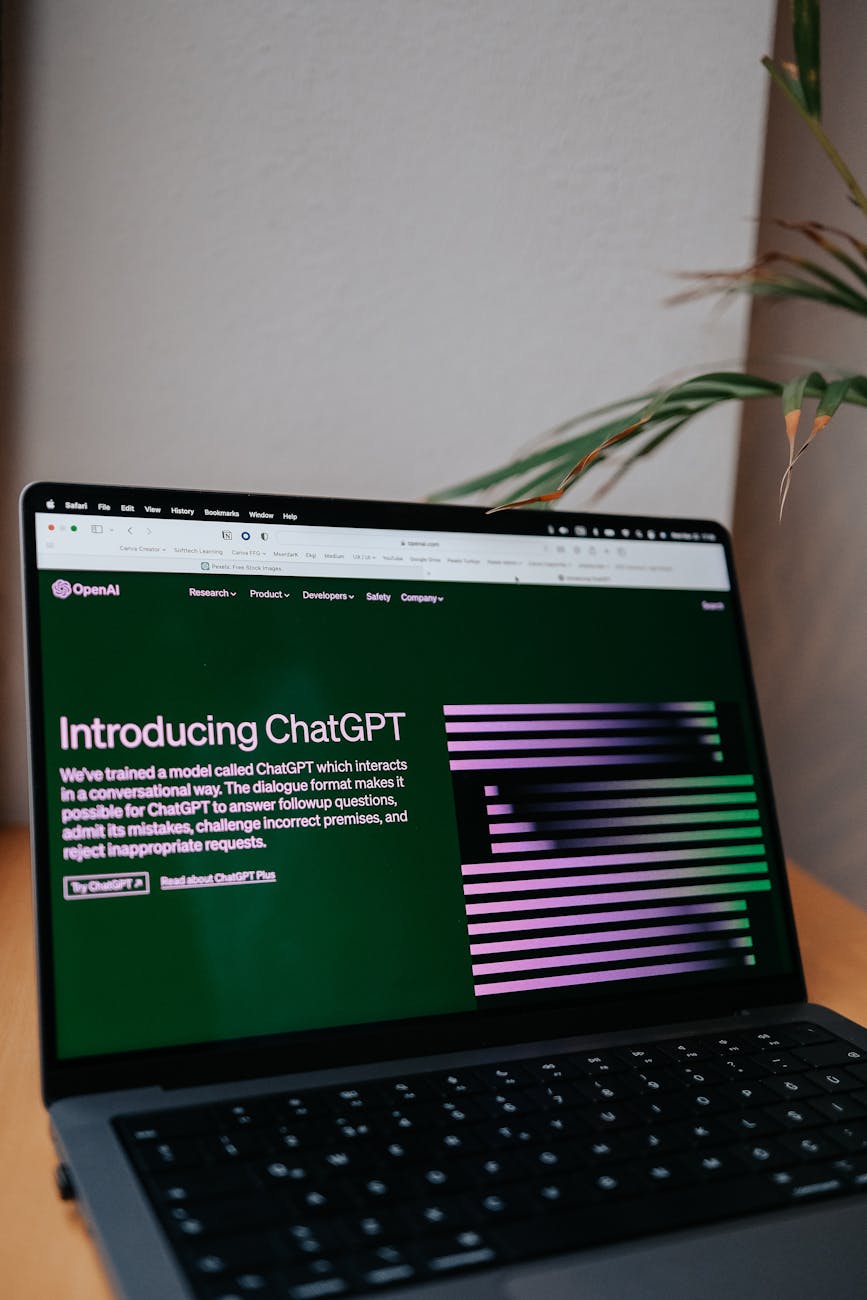
Diving into any new technology can feel overwhelming, but ChatGPT’s user-friendly interface makes it remarkably accessible for newcomers. Initially, you’ll need to create a free account on OpenAI’s website. This process is straightforward, requiring only an email address and a phone number for verification. Once logged in, you’ll be greeted by a clean, minimalist chat window, which is where all your interactions with the AI will take place. Think of it as a conversation with a highly knowledgeable assistant.
A common mistake here is approaching ChatGPT like a search engine. While it can retrieve information, its true power lies in its ability to understand context and generate creative, nuanced responses based on your prompts. Therefore, learning to phrase your requests effectively is paramount. The chat history pane on the left side of the interface allows you to keep track of your previous conversations, making it easy to revisit or continue a topic. Each new chat acts as a fresh slate, though you can refer to earlier parts of the same conversation for continuity. You’ll quickly discover that the more you interact, the more comfortable you become with its capabilities and nuances.
Understanding the interface and your first prompt
The primary elements you’ll encounter are the input box at the bottom, where you type your prompts, and the main display area, where ChatGPT’s responses appear. To get started, consider a simple task you want help with. Let’s walk through an example:
- Navigate to chat.openai.com and log in.
- Locate the “Send a message” input box at the bottom of the screen.
- Type your first prompt. For instance, “Give me three ideas for a healthy, quick dinner recipe.”
- Press Enter or click the send arrow icon.
- Observe ChatGPT’s response. It will generate a list of recipes based on your request.
Furthermore, you can then follow up within the same chat, perhaps asking, “Can you make those vegetarian?” This iterative approach allows you to refine answers and guide the AI towards the precise output you need. Your interactions are dynamic; you are not just asking questions but shaping a conversation. This hands-on practice will build your confidence swiftly.
Key takeaway: Begin by familiarizing yourself with the simple interface and experimenting with basic, clear prompts to understand how ChatGPT responds.
Crafting effective prompts: your productivity key
From experience, the quality of ChatGPT’s output is directly proportional to the quality of your input. This concept is often referred to as “prompt engineering,” which simply means learning how to write clear, precise instructions. A well-crafted prompt provides sufficient context, clearly defines the task, and specifies the desired output format. Without these elements, ChatGPT might generate generic or irrelevant responses, hindering your productivity rather than helping it.
In practice, many users start with vague requests like “Write about productivity.” While ChatGPT will provide something, it won’t be tailored to your specific needs. Instead, think about the role you want ChatGPT to play (e.g., a marketing expert, a creative writer, a coding assistant) and the specific outcome you expect. For instance, rather than “Write an email,” a better prompt would be “Write a concise, professional email to a client confirming our meeting on Friday at 2 PM, mentioning the agenda will cover project milestones.” This level of detail empowers the AI to deliver highly relevant and actionable content, significantly saving your time.
The structure of a good prompt
A powerful prompt typically includes several key components. Understanding and applying these will drastically improve your results:
- Role/Persona: Tell ChatGPT who to act as (e.g., “Act as a social media manager…”).
- Task: Clearly state what you want it to do (e.g., “…draft five engaging tweets…”).
- Context: Provide background information (e.g., “…about our new eco-friendly product line.”).
- Constraints/Requirements: Specify length, tone, keywords, or format (e.g., “…each under 280 characters, using relevant hashtags, with a friendly and enthusiastic tone.”).
Consider this before-and-after comparison of prompts:
| Ineffective prompt | Effective prompt |
|---|---|
| Write a blog post about time management. | Act as a productivity expert. Write a 500-word blog post for busy professionals on “3 actionable time management techniques,” focusing on the Pomodoro Technique, Eisenhower Matrix, and time blocking. Use an encouraging tone and include a call to action to try one technique this week. |
Furthermore, techniques like “Chain-of-Thought prompting,” where you ask ChatGPT to “think step by step” before answering, can guide it to more logical and accurate conclusions. This method is particularly useful for complex problems, as it forces the AI to break down the task internally before generating a final response. By embracing these structural elements, you transform ChatGPT from a simple chatbot into a sophisticated productivity co-pilot.
Key takeaway: Master prompt engineering by providing clear context, specific tasks, and desired output formats to unlock ChatGPT’s full potential.
Practical applications for ChatGPT for beginners
Now that you grasp the basics of interaction and prompting, let’s explore tangible ways ChatGPT for beginners can genuinely enhance your daily productivity. This tool isn’t just for complex coding or data analysis; it’s incredibly versatile for everyday tasks that often consume significant portions of our time. By delegating these activities to AI, you free up mental bandwidth for more critical thinking and strategic planning.
According to PwC’s “AI & Automation: A New World of Work” report (2023), 70% of businesses are actively experimenting with or implementing AI, highlighting its growing role in general business operations. This widespread adoption underscores the immediate benefits that even beginners can gain. From generating quick content drafts to organizing scattered thoughts, ChatGPT provides an on-demand assistant ready to tackle various challenges. Let’s delve into specific applications that can immediately impact your workflow and boost your overall efficiency.
Streamlining writing tasks
One of the most immediate benefits of ChatGPT is its ability to assist with writing. Whether you’re struggling with writer’s block or need to draft something quickly, it can be an invaluable aid. Consider these examples:
- Email drafting: Instead of staring at a blank screen, ask ChatGPT to draft an email.
"Draft an email to my team about the upcoming project deadline on Friday. Remind them to submit their initial reports by end of day Wednesday. Keep it professional and encouraging." - Content outlines: Need a structure for a blog post or presentation?
"Create an outline for a blog post discussing the benefits of remote work, including sections on flexibility, productivity, and work-life balance." - Summarization: Quickly grasp the main points of a long document or article by pasting it in (within token limits).
"Summarize the following article into three key bullet points: [Paste article text here]"
These tasks, which individually might take 10-30 minutes, can be completed in mere seconds, allowing you to review and refine rather than create from scratch. This drastically cuts down on the time spent on administrative writing.
Organizing information and brainstorming
Beyond content creation, ChatGPT excels at organizing thoughts and generating new ideas. This is particularly useful when you’re feeling stuck or need a fresh perspective:
- Idea generation: Ask for new angles or solutions to a problem.
"Brainstorm five innovative marketing strategies for a small online pottery business targeting young adults." - Pros and cons lists: Get a balanced view on a decision.
"Generate a pros and cons list for adopting a four-day work week in a creative agency." - Meeting agenda creation: Structure your meetings for maximum efficiency.
"Create a meeting agenda for our weekly team sync. Topics should include project updates, upcoming challenges, and open discussion for new ideas. Allocate 15 minutes for updates, 10 for challenges, and 5 for new ideas."
The ability to rapidly iterate on ideas and structures means you spend less time on preliminary organization and more time on strategic decision-making. McKinsey’s 2023 report “The economic potential of generative AI” estimates that generative AI could add $2.6 trillion to $4.4 trillion annually to the global economy, partly due to these types of productivity enhancements across various sectors.
Key takeaway: Integrate ChatGPT into your daily routine for specific tasks like writing drafts, summarizing information, and brainstorming ideas to save significant time.
Advanced tips and common pitfalls for beginners
As you grow more comfortable with ChatGPT, you’ll naturally seek to push its boundaries. However, there are crucial considerations and potential pitfalls that every beginner should be aware of to ensure responsible and effective use. What most guides miss is the importance of understanding its limitations and continually refining your approach. ChatGPT is a tool, not a sentient being, and its outputs reflect the data it was trained on, which can sometimes lead to biases or inaccuracies.
One non-obvious gotcha for beginners is assuming that ChatGPT’s responses are always factual. This is not the case; the model can “hallucinate” information, presenting falsehoods as facts. Therefore, critical thinking and verification remain indispensable, especially when dealing with sensitive or factual content. Never blindly trust an answer without cross-referencing, particularly for academic, professional, or legal contexts. Additionally, be mindful of over-reliance; while ChatGPT can automate many tasks, it should augment human capabilities, not replace critical human judgment.
Data privacy and ethical use
When using ChatGPT, especially for work-related tasks, data privacy should be a paramount concern. While OpenAI states it doesn’t train its public models on your data by default if you use ChatGPT Free and explicitly turn off chat history, always be cautious about inputting sensitive, confidential, or proprietary information. For businesses, specialized enterprise versions or self-hosted models offer greater control over data, but for the average user, discretion is key.
Consider the trade-off: the convenience of having an AI assistant versus the potential risk of exposing sensitive details. If something is highly confidential, it’s generally best to keep it offline. Furthermore, always be transparent if you’re using AI to generate content. Plagiarism is an ethical concern, and while ChatGPT generates original text, passing off AI-generated content as purely your own creative work can be problematic. Acknowledge its role as a co-pilot, not the sole author. Explore AI tools responsibly.
Iteration and refinement
Your first prompt rarely yields the perfect answer. This is where iteration comes into play. Think of your interaction with ChatGPT as a dialogue where you continuously refine your requests based on its responses. If an answer isn’t quite right, don’t just move on; provide feedback to the AI. For example:
- “That’s a good start, but can you make it sound more formal?”
- “Expand on the third point and provide a specific example.”
- “Can you rewrite that from the perspective of a small business owner?”
This iterative process allows you to guide ChatGPT closer to your desired outcome. It also helps you learn what types of prompts work best for specific scenarios. Remember, prompt engineering is an ongoing skill development. While the free version of ChatGPT offers substantial utility, OpenAI’s paid offering, ChatGPT Plus, provides access to more advanced models (like GPT-4), faster response times, and early access to new features like plugins, which expand its capabilities significantly.
Key takeaway: Prioritize data privacy, verify all AI-generated facts, and adopt an iterative approach to prompting to maximize ChatGPT’s effectiveness while mitigating risks.
Expanding your ChatGPT skills
As you transition from a beginner to a more proficient user, you’ll discover numerous ways to expand your ChatGPT capabilities beyond basic text generation. The landscape of AI is constantly evolving, and staying curious will enable you to leverage new features and integrate them into your workflow. One significant area of growth for ChatGPT users is exploring its ecosystem of plugins and custom instructions.
The core ChatGPT experience is robust, but plugins (available to ChatGPT Plus subscribers) extend its functionality by allowing it to interact with external services. For example, a plugin might enable ChatGPT to browse the web for real-time information, generate images, analyze data spreadsheets, or even book flights. This means ChatGPT can become a central hub for various digital tasks, dramatically increasing its utility. While free alternatives for some of these functionalities exist independently, the integration within ChatGPT offers unparalleled convenience.
Exploring plugins and custom instructions
Plugins: If you are a ChatGPT Plus subscriber, you can enable plugins from the settings. Once activated, ChatGPT can choose which plugins to use based on your prompt. For instance, if you ask for the current weather, it might activate a weather plugin. If you ask it to summarize a long PDF, it might use a document summarizer plugin. This integration means you are not just limited to ChatGPT’s knowledge base but can tap into real-time data and specialized tools.
- Web Browsing: Allows ChatGPT to search the internet for up-to-date information, crucial for current events or dynamic data.
- Code Interpreter: Enables ChatGPT to write and execute Python code in a sandboxed environment, useful for data analysis, complex calculations, and even file conversions.
- Third-Party Integrations: Many companies offer plugins for their services, from travel planning (e.g., Kayak) to productivity tools (e.g., Zapier).
Custom instructions: This feature, available to all users, allows you to set preferences that ChatGPT will remember for every conversation. You can tell it about yourself (e.g., “I am a marketing manager in the tech industry”) and how you’d like it to respond (e.g., “Always keep responses concise and professional, and avoid jargon”). This saves you from repeating the same instructions in every prompt and ensures a consistent tone and style tailored to your needs. Setting up custom instructions is a one-time effort that pays dividends in streamlined interactions.
Key takeaway: Explore ChatGPT’s plugins for expanded functionality and utilize custom instructions to personalize its responses consistently for your specific needs.
Conclusion
Congratulations, you’ve taken the essential first steps in mastering ChatGPT for beginners and are now well-equipped to unlock your productivity potential. We’ve covered the fundamentals, from navigating the user-friendly interface and crafting effective prompts to applying this powerful AI tool in practical, everyday scenarios. You now understand the importance of clear communication with the AI, the diverse applications for streamlining writing and brainstorming, and the critical considerations for ethical use and data privacy. Remember, ChatGPT is an augmenting tool, designed to enhance your capabilities, not replace your critical judgment.
By consciously integrating ChatGPT into your workflow, you’re not just adopting a new piece of technology; you’re embracing a smarter, more efficient way of working. The time saved on mundane tasks can be redirected towards innovation, strategic thinking, and personal development. Continue to experiment, iterate on your prompts, and stay informed about new features and best practices as the AI landscape evolves. The journey of mastering AI is continuous, and your proactive approach will keep you at the forefront.
Your next step should be to pick one small, recurring task you typically find tedious and try to automate or assist it with ChatGPT today. Perhaps it’s drafting a quick internal memo or outlining your personal to-do list for tomorrow. Start small, build confidence, and watch your productivity soar.
Cover image by: Kindel Media / Pexels