Finding the right remote work tools is the difference between a professional workspace and a makeshift desk that causes physical and mental fatigue. Many professionals struggle to balance hardware reliability with software efficiency when moving away from a corporate office. In my experience, the selection of equipment should prioritize three specific criteria: ergonomic health, technical stability, and the reduction of cognitive load. According to Stanford University (2022), working from home can increase productivity by up to 13 percent when employees have the right environment and equipment. However, achieving this requires a deliberate approach to your technical stack. This guide highlights ten essential items chosen for their ability to streamline your daily workflow while preventing the common pitfalls of long-term remote employment. Whether you are a software engineer or a project manager, these tools will refine your home office for maximum performance.
1. Logitech MX master 3s
The Logitech MX Master 3S is a high-precision wireless mouse designed specifically for power users who spend hours navigating complex interfaces. It features an 8,000 DPI optical sensor that works on almost any surface and a MagSpeed electromagnetic scroll wheel that is silent and incredibly fast. From experience, the ergonomic thumb rest and customizable gesture buttons significantly reduce wrist strain during long sessions of data entry or code review.
To use this device effectively, you should install the Logi Options+ software on your computer. This application allows you to map specific functions to each button based on the program you are currently using, such as mute/unmute in Zoom or back/forward in a web browser. Furthermore, you can enable the Flow feature to move your cursor and transfer files seamlessly between two different computers on the same network.
Best for: Reducing repetitive strain and increasing navigation speed in complex software suites.
Key takeaway: A high-quality ergonomic mouse prevents long-term wrist injury while providing customizable shortcuts for your most frequent tasks.
2. Krisp noise cancellation
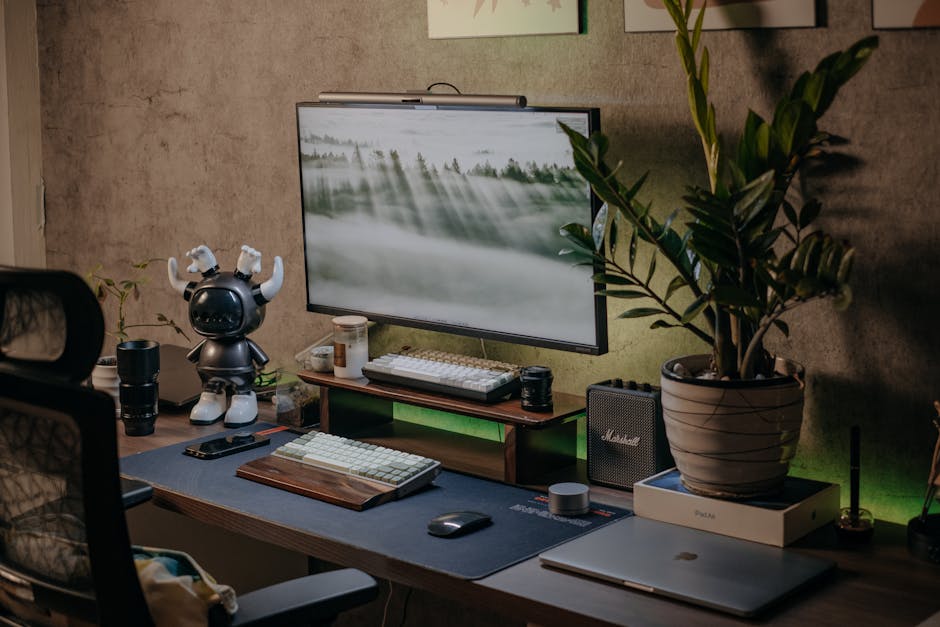
Krisp is an AI-powered noise cancellation application that removes background sounds from your calls in real time. It acts as a virtual layer between your physical microphone and your communication software, filtering out barking dogs, crying babies, or mechanical keyboard clicks. According to Owl Labs (2023), 67 percent of remote workers struggle with communication and collaboration tools during their workday, often due to audio distractions.
You use this tool by installing the desktop application and selecting Krisp as your “Microphone” and “Speaker” in settings for apps like Zoom, Teams, or Slack. The software processes the audio locally on your machine, which ensures your privacy while providing a professional audio experience for your clients or colleagues. In addition, you can toggle the noise removal on or off with a single click from your system tray whenever environmental noise becomes an issue.
Best for: Maintaining a professional presence during meetings in unpredictable or loud home environments.
Key takeaway: AI-driven audio filtering ensures that your voice remains clear regardless of the background noise in your home.
3. CalDigit TS4 thunderbolt dock
The CalDigit TS4 is a comprehensive docking station that expands a single laptop port into 18 different connectivity options. It provides high-speed data transfer, multiple monitor outputs, and up to 98W of power delivery to keep your laptop charged without a separate power brick. What most guides miss is that a high-quality dock eliminates the “cable spaghetti” that often leads to hardware disconnects during critical tasks.
To set it up, connect your monitors, Ethernet cable, and USB peripherals directly into the dock sitting on your desk. Afterward, you only need to plug one Thunderbolt cable into your laptop to activate your entire workstation. This simplifies the process of transitioning your laptop from a mobile device to a desktop powerhouse while keeping your desk organized and clutter-free. That said, you should ensure your laptop supports Thunderbolt 4 or USB4 to take full advantage of the bandwidth available.
Best for: Creating a stable, single-cable connection for multi-monitor setups and high-speed peripherals.
Key takeaway: A robust docking station provides the reliability of a desktop computer while maintaining the portability of a laptop.
4. Elgato key light air
The Elgato Key Light Air is a professional LED panel that provides flicker-free, adjustable lighting for video conferencing and streaming. Unlike standard desk lamps, these panels use edge-lit technology to provide soft, even illumination that does not cause eye strain or harsh shadows. In my experience, proper lighting is more important for video quality than the resolution of the camera itself.
You control the Key Light Air through an application on your desktop or smartphone rather than using physical buttons on the back of the device. This allows you to adjust the brightness and color temperature to match the natural light in your room throughout the day. Consequently, you can maintain a consistent and professional appearance during afternoon meetings even as the sun sets and the room becomes dark.
Best for: Improving video call quality and reducing eye fatigue during evening work sessions.
Key takeaway: Smart lighting allows you to adjust your visual presence instantly without leaving your chair or fiddling with manual switches.
5. Sony WH-1000XM5 headphones
The Sony WH-1000XM5 headphones are industry-leading noise-canceling headsets that create a focused acoustic environment. They use multiple microphones and a dedicated processor to block out ambient sounds, allowing you to concentrate on deep work or listen to audio without interruption. These headphones are a staple among remote work tools because they address the psychological need for a quiet workspace.
To maximize their utility, you should pair them with both your laptop and your smartphone simultaneously using the multi-point connection feature. This enables you to listen to focus music on your phone and automatically switch to a video call on your laptop when it begins. Furthermore, the “Speak-to-Chat” feature automatically pauses your audio when you start talking, which is useful if a family member needs your attention briefly during the day.
Best for: Blocking out domestic distractions and maintaining focus during long periods of deep work.
Key takeaway: High-quality noise cancellation serves as a physical barrier between your work and the distractions of your household.
6. Loom asynchronous video
Loom is a video messaging platform that allows you to record your screen, camera, and microphone simultaneously to send quick updates to your team. Instead of scheduling a thirty-minute meeting for a five-minute explanation, you can record a “Loom” and share the link. A common mistake here is assuming every communication needs to be a live conversation, which often leads to “meeting fatigue.”
You use Loom by clicking the browser extension or using the desktop app to start a recording of your screen. Once you finish the recording, the video is instantly uploaded to the cloud and a shareable link is copied to your clipboard. You can then paste this link into Slack or an email, allowing your colleagues to watch the video at their own convenience and even leave time-stamped comments or reactions.
Best for: Reducing the number of synchronous meetings while maintaining clear, visual communication with a team.
Key takeaway: Asynchronous video communication saves time and provides a permanent record of instructions that team members can revisit.
7. Todoist task management
Todoist is a powerful yet simple task management application that helps you organize your daily responsibilities and long-term projects. It uses natural language processing, which means you can type “Review report every Friday at 2pm” and it will automatically schedule the recurring task. Keeping a centralized list of tasks outside of your email inbox is essential for staying organized in a remote environment.
To use it effectively, categorize your tasks into different projects such as “Work,” “Personal,” and “Errands” to keep your mind clear. You can also set priority levels to ensure that you tackle your most important work during your peak energy hours. In addition, you can integrate Todoist with your digital calendar so that your tasks appear alongside your meetings, giving you a realistic view of your daily capacity.
Best for: Managing daily workloads and ensuring that small tasks do not get lost in the shuffle of remote communication.
Key takeaway: A dedicated task manager prevents cognitive overload by externalizing your to-do list into a reliable, searchable system.
8. Forest focus timer
Forest is a gamified productivity app that uses the Pomodoro technique to help you stay off your phone and focused on your work. When you want to focus, you “plant a tree” in the app, and it grows over a set period of time as long as you do not leave the application. If you exit the app to check social media or browse the web, your virtual tree withers and dies.
You can use the mobile app to keep your phone away from your desk, or use the browser extension to whitelist only the websites you need for work. This creates a psychological incentive to stay focused, as you build a virtual forest over days and weeks of productive sessions. Moreover, the company behind the app partners with real-tree-planting organizations, so your focused time can eventually contribute to planting actual trees in the physical world.
Best for: Users who struggle with digital distractions and need a visual incentive to stay on task.
Key takeaway: Gamification can turn the chore of focusing into a rewarding habit that protects your most productive hours.
9. Drafts for rapid capture
Drafts is a specialized note-taking app designed for the “capture first, process later” philosophy of productivity. Unlike complex databases, Drafts opens to a blank page with the keyboard ready, allowing you to type an idea before you forget it. In practice, the speed of capturing a thought is more important than where that thought eventually lives.
Once you have captured your text, you can use “Actions” to send that text to other apps, such as turning it into a Todoist task, an email, or a post on a social platform. This prevents the friction of deciding where a note should go while you are in the middle of a creative flow. On the other hand, if the note is just a temporary thought, you can simply archive it or delete it once the task is complete.
Best for: Quickly recording ideas and meeting notes without getting distracted by file structures or formatting.
Key takeaway: Separating the act of writing from the act of organizing allows for faster, more fluid thinking during the workday.
10. Fully Jarvis standing desk
The Fully Jarvis (now part of the Herman Miller group) is a motorized standing desk that allows you to change your working position throughout the day. It features a heavy-duty steel frame and a programmed handset that remembers your preferred sitting and standing heights. Changing positions is vital because sitting for eight hours straight is linked to various long-term health issues and decreased energy levels.
To use this desk properly, you should set your sitting height so your elbows are at a 90-degree angle and your standing height so you aren’t leaning on the surface. Use the memory presets to switch between positions every 60 to 90 minutes to keep your circulation moving and your muscles engaged. Furthermore, adding an anti-fatigue mat can make standing for long periods much more comfortable for your joints and lower back.
Best for: Maintaining physical health and energy levels by avoiding sedentary behavior during the work day.
Key takeaway: An adjustable desk encourages movement, which is essential for long-term health when working in a home environment.
Selecting the right combination of remote work tools requires an understanding of your own personal work habits and the specific demands of your role. While hardware like the CalDigit dock and the Fully Jarvis desk require an initial investment, the long-term benefits to your health and efficiency are substantial. If I had to pick a single top recommendation for someone starting their journey, it would be the Logitech MX Master 3S. This mouse offers the highest immediate return on investment by improving your interaction with every other piece of software on your machine. You can find more advice on optimizing your digital workspace in our productivity archive. By focusing on quality over quantity, you can build a home office that supports your professional goals rather than hindering them. Start by identifying your biggest bottleneck and address it with one of these proven solutions today.
Cover image by: Pew Nguyen / Pexels