Building a small budget office does not require a five-figure investment in designer furniture or top-tier computing hardware. Most professionals overestimate the amount of gear needed to maintain a high level of output while working from home. In reality, the most productive environments focus on ergonomics, lighting, and sound management rather than expensive aesthetic upgrades. According to Global Workplace Analytics (2023), remote workers save an average of $2,000 to $7,000 per year by eliminating commuting and related expenses, which provides a natural fund for these improvements. However, spending that money wisely involves identifying which items truly impact your workflow and which are simply decorative. This guide walks you through the process of sourcing high-value components and assembling a functional workspace that rivals premium corporate environments. By focusing on utility over brand names, you can create a professional sanctuary without breaking the bank.
Consequently, the transition to remote work becomes a strategic advantage rather than a logistical burden. Furthermore, a well-planned workspace reduces the physical strain that often leads to burnout. Similarly, the psychological benefits of a dedicated work zone help maintain a healthy work-life balance. Whether you are a software engineer or a project manager, these principles will help you optimize your surroundings for peak performance. In the following sections, we will break down the essential tools and the exact steps to get your office up and running.
What you’ll need for a small budget office
- A stable desk or table surface (minimum 40 inches wide).
- A refurbished ergonomic task chair (look for Steelcase or Herman Miller).
- A secondary monitor (1080p resolution is sufficient for most tasks).
- Dedicated lighting (a simple LED desk lamp or nearby window).
- A basic external keyboard and mouse (Logitech offers reliable budget options).
- Noise-canceling or high-quality wired earbuds.
- Hook-and-loop cable ties for cord management.
Key takeaway: Prioritizing used ergonomic furniture and basic peripherals provides the highest return on investment for your physical comfort and productivity.
Step-by-step
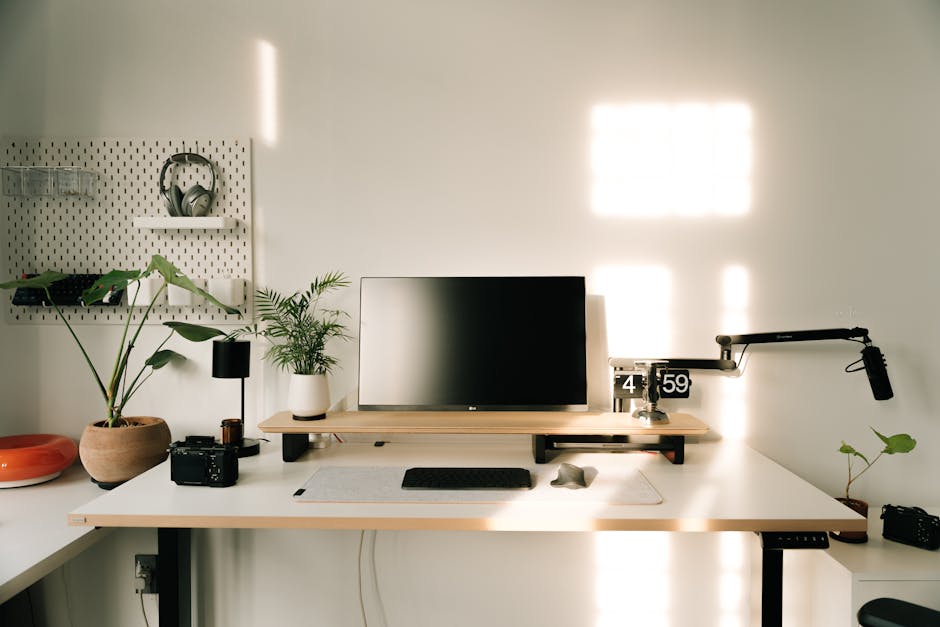
- Identify the quietest corner of your home to minimize distractions during deep work sessions. If you lack a separate room, a designated area in a bedroom or living room can suffice as long as it is out of high-traffic paths. From experience, placing your desk in a corner helps create a mental boundary between work and relaxation zones. Consequently, your brain begins to associate that specific spatial footprint with professional output and focus.
- Invest in a used high-quality ergonomic chair rather than a new but poorly made budget model. You should search local marketplaces for reputable brands like Steelcase or Haworth, as these units are built to last for decades and offer superior lumbar support. A common mistake here is choosing a cheap “gaming” chair that provides aesthetic appeal but offers very little actual ergonomic benefit. Therefore, prioritizing structural integrity over visual flair will protect your posture and long-term health.
- Position your desk perpendicular to your windows to leverage natural light without creating screen glare. Natural light significantly boosts mood and reduces the need for expensive artificial lighting setups during daytime hours. If your room is naturally dark, place a simple LED desk lamp behind your monitor to create what practitioners call “bias lighting.” This technique reduces eye strain by softening the contrast between the screen and the wall behind it.
- Utilize free software tools like Krisp.ai or built-in noise suppression to enhance your existing audio hardware. You do not need a professional-grade XLR microphone when modern AI can effectively strip away background hum, fan noise, and keyboard clicks. Furthermore, most laptops have decent cameras that only fail due to poor lighting rather than actual sensor quality. As a result, improving your environmental lighting often removes the need for a separate webcam purchase.
- Build a DIY standing desk converter using existing household items or affordable shelving components like the IKEA Lack series. If you want the benefits of a standing desk without the heavy price tag, placing a small side table on top of your existing desk works surprisingly well. In my experience, alternating between sitting and standing every hour significantly reduces the physical fatigue associated with prolonged computer use. This simple hack provides the same health benefits as motorized units for a fraction of the cost.
- Tidy your cables using low-cost hook-and-loop ties or even simple twist ties from grocery packaging. A cluttered desk often leads to a cluttered mind, and visible wires are the primary source of visual noise in a workspace. Start by unplugging everything and then re-routing cables along the legs of your desk to keep them out of sight. Consequently, your workspace will look more professional and be significantly easier to clean.
Key takeaway: Systematically addressing your environment through placement, second-hand sourcing, and cable management creates a high-end feel at a low-end price point.
Common problems and fixes for a small budget office
Persistent back and neck pain
This is usually caused by an incorrect monitor height or a chair that does not support the natural curve of your spine. To fix this, place your monitor on a stack of sturdy books so the top third of the screen is at eye level. This prevents you from hunching forward and alleviates pressure on your cervical spine. If your chair lacks lumbar support, a rolled-up towel placed at the small of your back can act as a temporary but effective substitute until you can source a professional chair.
Poor video quality during calls
Most users assume they need a 4K webcam, but the issue is almost always a lack of front-facing light. To fix this, move a floor lamp or desk lamp so it sits directly behind your monitor, shining onto your face. Avoid having a bright window behind you, as this will turn you into a dark silhouette. What most guides miss is that a stable, well-lit image from a 720p laptop camera looks better than a grainy, dark image from an expensive 4K peripheral.
Unreliable internet in a far corner
Moving your office to a quiet corner often takes you away from your Wi-Fi router, leading to dropped calls and lag. Instead of buying an expensive mesh system, try running a long Cat6 ethernet cable directly to your computer. Wired connections are inherently more stable and faster than wireless signals. If running a cable is not possible, repositioning your router to a higher shelf or a more central location can often resolve dead zones without costing a dime.
Key takeaway: Most technical or physical discomforts in a home office can be resolved through better positioning and simple physical adjustments rather than new purchases.
When this won’t work
A minimalist budget setup may be insufficient if your role requires high-end hardware for specialized tasks like 4K video rendering, 3D modeling, or large-scale data processing. These disciplines often demand color-accurate monitors and high-wattage workstations that cannot be effectively substituted with budget alternatives. Additionally, if you live in a high-density environment with constant construction or traffic noise, software-based noise cancellation may struggle to keep your audio clean. In these specific cases, investing in professional-grade acoustic treatment or studio-quality microphones becomes a necessity rather than a luxury. For more information on specialized setups, you can explore our remote work archive.
Key takeaway: Specialized creative or technical roles may require higher hardware benchmarks that a standard budget setup cannot provide.
Conclusion: Maintaining your small budget office
Establishing a small budget office is a foundational step in your remote work journey, but maintaining it is where the long-term value lies. Productivity is not a static state achieved by buying the right gear; it is a result of a consistent environment that supports your focus. According to Upwork (2022), approximately 22% of the American workforce will be remote by the year 2025, suggesting that your home office is a long-term career asset. By following the steps outlined above, you have created a space that prioritizes your health and output without unnecessary financial stress. In addition, the modular nature of a budget setup allows you to upgrade individual components as your needs evolve over time.
Your next action should be to audit your current lighting and seating position today. Small adjustments often yield the most significant improvements in comfort and clarity. If you found these tips helpful, consider checking out our latest articles on the productivity page for more ways to optimize your workflow. Remember that a professional office is defined by the work produced within it, not by the price tag of the desk it sits on. Keep your space clean, your lighting bright, and your focus sharp.
Key takeaway: Success in a remote environment depends on intentional workspace design and the discipline to maintain it over time.
Cover image by: Alpha En / Pexels