Few things are as frustrating as plugging in your smartphone only to find it’s charging at a snail’s pace. If your phone charges slowly, it’s not just an inconvenience; it can signal underlying issues with your hardware, software, or charging habits. As a senior tech practitioner, I’ve seen countless cases where users blame their device when the real culprit is often a worn-out cable or a dusty charging port. This isn’t rocket science, but understanding the mechanics behind power delivery can save you time, money, and needless worry. We’ll demystify the common reasons your phone isn’t juicing up efficiently and equip you with actionable solutions to restore optimal charging speeds.
What’s actually happening when your phone charges slowly
When you plug in your phone, a delicate dance of power transfer begins. Electricity flows from the wall outlet, through an adapter, down a cable, and into your device’s battery management system. The speed of this transfer is primarily dictated by three factors: voltage (V), current (A), and power (W). Voltage is the electrical “pressure,” current is the “flow” of electricity, and power (watts) is their product (V x A). Modern phones and chargers communicate to negotiate the fastest safe charging rate, often using protocols like USB Power Delivery (PD) or Qualcomm Quick Charge.
Power delivery fundamentals
In simple terms, a standard USB port typically offers 5V at 0.5A, totaling 2.5W – a very slow charge for today’s smartphones. Fast chargers, however, can deliver higher voltages (e.g., 9V, 12V) and/or higher currents (e.g., 2A, 3A, 5A), pushing power delivery to 18W, 30W, or even 120W+. The phone’s internal circuitry, particularly its Battery Management System (BMS), constantly monitors this input, adjusting it to prevent overheating or damage. If any component in the chain – charger, cable, or phone port – limits the voltage or current, your phone charges slowly.
What most guides miss is the negotiation that happens between your phone and the charger. This isn’t just a dumb electrical connection. Your phone actively tells the charger what it needs and what it can safely handle. If this communication breaks down, or if the charger can’t deliver what the phone requests, the system defaults to a lower, safer charging speed, making your phone feel sluggish to charge.
Key takeaway: Slow charging is often a symptom of insufficient power delivery due to limitations in voltage, current, or the crucial communication between your phone and charger.
The common culprits behind slow charging
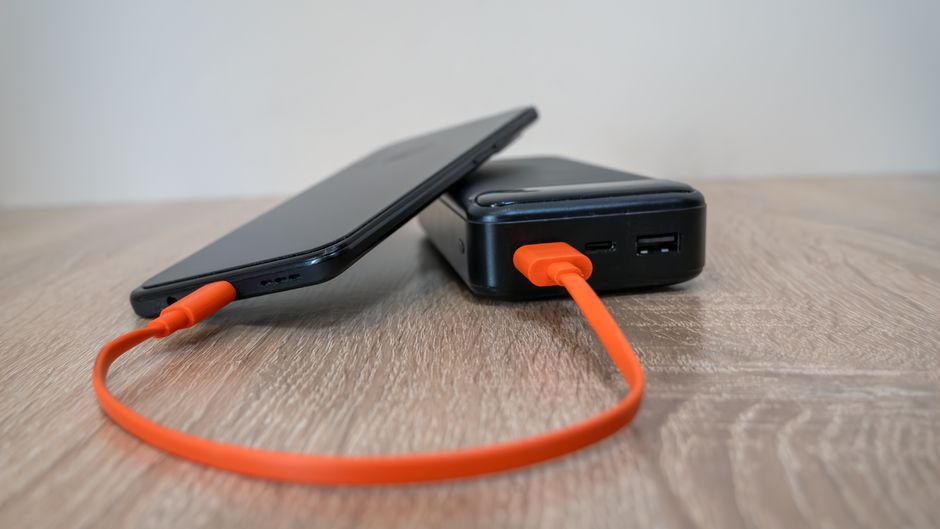
More often than not, the reason your phone charges slowly boils down to issues with the physical components or background processes. Identifying these helps pinpoint the exact problem.
Degraded cables and adapters
The charging cable is frequently the weakest link. Internal wires can fray or break over time, increasing resistance and limiting current flow, even if the cable looks fine externally. Cheap, non-certified cables are notorious for this, using thinner wires that can’t handle higher power delivery efficiently. Similarly, the wall adapter plays a crucial role. If you’re using an old, low-power adapter (e.g., an old 5W iPhone brick) with a modern phone, it simply won’t supply enough wattage for fast charging, regardless of how good your cable is.
According to a 2023 study by AccuBattery, poor quality charging cables can reduce charging efficiency by up to 30%, directly impacting how quickly your device gains power. This isn’t just a minor drop; it significantly extends the time your phone needs to reach a full charge. From experience, I always advise clients to invest in reputable, certified cables and adapters. It’s a small upfront cost that prevents endless charging headaches.
Software and background processes
Sometimes, the issue isn’t hardware at all. If your phone is running numerous power-hungry apps in the background, constantly syncing data, or performing intensive tasks while charging, it’s essentially trying to fill a bathtub while the drain is open. The power coming in is being immediately consumed, making it seem like your phone charges slowly. Old or buggy operating system versions can also introduce inefficiencies, impacting battery management and charging protocols. Consider closing unnecessary apps or enabling a low-power mode when charging to allow the battery to receive maximum input.
Key takeaway: Worn-out cables, underpowered adapters, and demanding background software are primary reasons your phone charges slowly, often limiting the actual power reaching the battery.
Beyond the obvious hardware issues
While cables and adapters are often the first suspects, several less obvious factors can also contribute to your phone charging at a snail’s pace. These often require a bit more attention to detail.
Port integrity and environmental factors
Take a closer look at your phone’s charging port. Over time, lint, dust, and other debris can accumulate inside, creating a barrier between the cable and the charging pins. This poor connection leads to reduced current flow and slow charging. I’ve seen phones brought in for “battery issues” that were resolved with a careful clean using a toothpick or a blast of compressed air. Furthermore, extreme temperatures can significantly impact charging speed. Phones are designed to charge optimally within a specific temperature range. If your phone is too hot (e.g., left in direct sunlight, or under a pillow while charging) or too cold, its internal safety mechanisms will deliberately slow down or stop charging to protect the battery and other components.
A common mistake here is overlooking the phone’s internal temperature. If the phone gets too hot, the charging circuitry will intentionally slow down to prevent damage. This isn’t a fault; it’s a safety feature. If you notice your phone getting unusually warm, move it to a cooler environment and remove any thick cases while charging.
Key takeaway: Dirty charging ports and adverse environmental temperatures are subtle but significant factors that can prevent your phone from charging efficiently.
Practical steps to speed up your charging
Now that we’ve covered the “why,” let’s dive into the “how” to ensure your phone charges at its optimal speed.
System hygiene and quality accessories
Start by inspecting your charging cable and adapter. If they’re old, visibly damaged, or consistently cause slow charging across different devices, replace them with high-quality, certified alternatives from reputable brands like Anker, Apple, Samsung, or Belkin. For example, if you have a newer iPhone, a USB-C to Lightning cable paired with a 20W USB-C Power Delivery (PD) adapter will charge significantly faster than an old 5W USB-A brick. For Android users, a USB-C to USB-C cable with a PD or Quick Charge compatible adapter is essential. Next, carefully clean your phone’s charging port. Power off your device, use a wooden or plastic toothpick (never metal!) to gently dislodge lint, then finish with a quick burst of compressed air.
To monitor your actual charging speed, Android users can download apps like Ampere, which provides real-time data on current (mA) flowing into the battery. This helps diagnose if a specific cable or charger is underperforming. Research from Anker (2022) indicates that using certified Power Delivery (PD) chargers can charge compatible phones up to 3x faster than standard chargers. Furthermore, managing your phone’s software is critical. Close unnecessary background apps, especially those that consume significant power. Enable “Low Power Mode” or “Battery Saver Mode” when charging, as these modes restrict background activities, allowing more power to reach the battery. You can find more tips on optimizing your device’s performance in our Mobile Tech archive.
Key takeaway: Invest in high-quality, certified charging accessories, regularly clean your phone’s charging port, and optimize software to ensure maximum power delivery to your device.
Diagnosing why your phone charges slowly doesn’t have to be a mystery. By systematically checking your cables, adapters, charging port, and even your phone’s software activity, you can identify and resolve most slow charging issues. Remember, your phone’s battery is a finite resource, and maintaining good charging habits not only speeds up the process but also contributes to its overall longevity. A small investment in quality accessories and a few minutes of troubleshooting can make a world of difference, ensuring your device is ready to go when you are. For more practical advice on keeping your tech running smoothly, explore our Troubleshooting category.
Cover image by: Eleonora Vokueva / Pexels