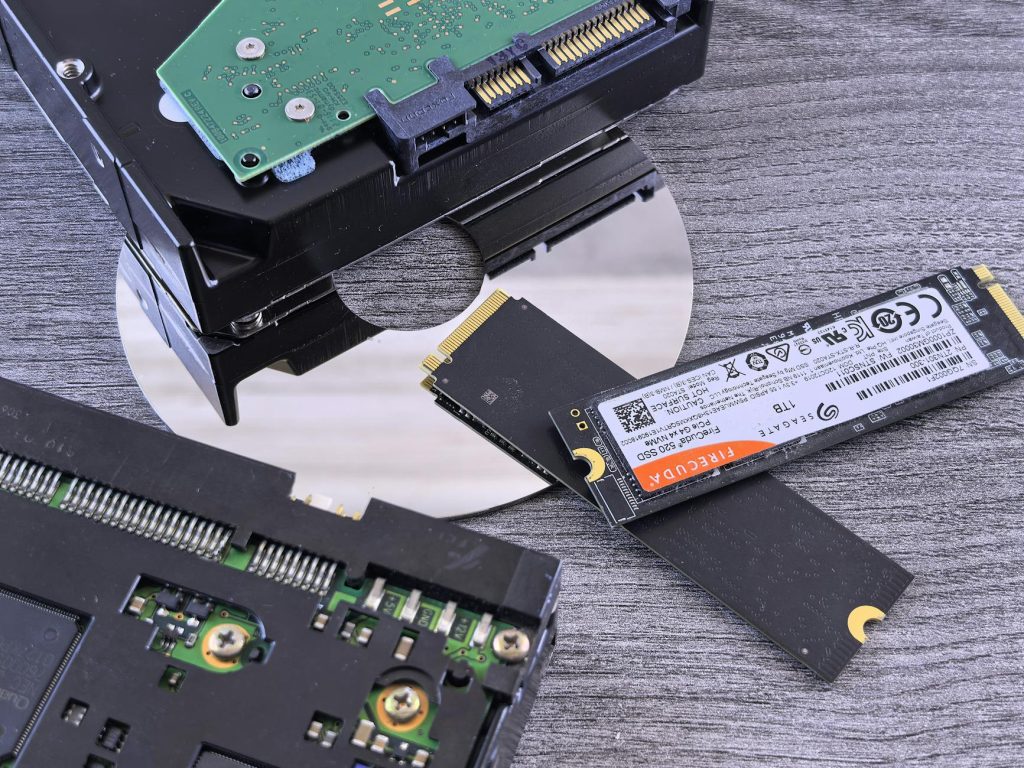
Essential NAS data protection: understanding RAID configurations to prevent data loss
A network attached storage (NAS) device is the cornerstone of modern home and small business data management, offering centralized access and storage for large volumes of digital information. However, the convenience of a NAS comes with a critical responsibility: ensuring the safety of the stored data. Data loss due to hardware failure, corruption, or human error can be catastrophic. This article will delve into the essential mechanisms for protecting your NAS data, focusing specifically on redundant array of independent disks (RAID) configurations. Understanding how different RAID levels function, their trade offs in performance and redundancy, and how to implement them correctly is paramount to building a robust data protection strategy that minimizes downtime and prevents the permanent loss of your valuable files.
The fundamental need for redundancy in NAS systems
While hard drives have become increasingly reliable, they remain mechanical devices prone to failure. When a single disk in a standard storage system fails, all data on that disk is immediately lost. A NAS, often housing critical backups, media libraries, or business records, requires a built in defense against this single point of failure. This is where the concept of redundancy becomes non negotiable. Redundancy means having duplicate copies of data or data reconstruction information spread across multiple physical disks. If one drive fails, the redundant data allows the system to continue operating without data loss and enables the failed drive to be replaced while the system rebuilds the affected information.
The core technology enabling this redundancy in NAS environments is RAID. RAID is not a backup solution itself, but rather a technique for aggregating multiple physical disk drives into a single logical unit to improve performance, provide fault tolerance, or both. Selecting the appropriate RAID level is the first and most crucial step in designing a resilient NAS infrastructure. Ignoring redundancy is akin to running a marathon without water; eventual failure is almost guaranteed.
Differentiating common RAID levels: performance, capacity, and fault tolerance
Different RAID configurations offer varying balances between storage efficiency (how much raw disk space is usable), performance (read and write speeds), and fault tolerance (how many simultaneous disk failures the system can withstand). Choosing the right level depends entirely on the application’s needs.
- RAID 0 (Stripping): This configuration writes data across two or more disks in segments (stripes). It offers the best performance and utilizes 100% of the drive capacity. However, it provides zero fault tolerance; if any single drive fails, all data in the array is lost. It is only suitable for temporary data or cached files where performance is critical and data integrity is not.
- RAID 1 (Mirroring): Data is written identically to two or more disks. This configuration offers excellent fault tolerance (it can sustain one disk failure) and good read performance. The major drawback is capacity efficiency: only 50% of the total raw disk space is usable. It is ideal for critical systems requiring high availability and reliability, often used with two drives.
- RAID 5 (Striping with Parity): This level is often the minimum standard for general purpose NAS setups requiring three or more drives. Data is striped across the disks, and a parity block (a mathematical derivation used for reconstruction) is distributed across all drives. RAID 5 can sustain the failure of one drive without data loss. Capacity efficiency is good (N 1 disks are available for storage). Performance is strong for reads but slightly slower for writes due to the parity calculation overhead.
- RAID 6 (Striping with Dual Parity): Requiring a minimum of four drives, RAID 6 uses two independent parity blocks, allowing it to withstand the failure of two disks simultaneously. This increased protection is vital for large arrays where the rebuild time (and thus the vulnerability window) is longer. Capacity efficiency is N 2, meaning two disks worth of space are dedicated to redundancy.
Hybrid RAID levels, such as RAID 10 (or 1+0), combine the mirroring of RAID 1 with the stripping of RAID 0. RAID 10 offers extremely high performance and excellent redundancy (can often sustain multiple failures, provided they are not in the same mirrored pair), but it requires a minimum of four drives and only offers 50% capacity efficiency.
The following table summarizes the key trade offs:
| RAID Level | Minimum Disks | Fault Tolerance | Capacity Efficiency |
|---|---|---|---|
| RAID 0 | 2 | None | 100% |
| RAID 1 | 2 | 1 disk | 50% |
| RAID 5 | 3 | 1 disk | N-1 |
| RAID 6 | 4 | 2 disks | N-2 |
| RAID 10 | 4 | Varies (High) | 50% |
Beyond setup: managing, rebuilding, and the window of vulnerability
Simply setting up a redundant array is not the end of the data protection strategy; ongoing management is crucial. Even the most robust RAID configuration has a vulnerability window: the period between a disk failure and the successful completion of the array rebuild.
When a disk in a RAID 5 or RAID 6 array fails, the NAS enters a “degraded” state. It relies on the parity information to calculate the missing data on the fly. This degradation significantly increases the load on the remaining drives and slows down performance. The immediate priority is to replace the failed drive (hot swap if supported) and initiate the rebuild process.
The risk during rebuild: Modern, high capacity drives take many hours, sometimes days, to rebuild. During this intense operation, the remaining drives are stressed heavily, significantly increasing the probability of a second disk failure (the “second drive failure problem”). If a second drive fails in a RAID 5 array during the rebuild, all data is lost. This is why RAID 6 has become increasingly popular for arrays using drives of 8TB or larger, offering the critical capability to survive a second failure during the rebuild process.
Proactive management involves:
- Monitoring S.M.A.R.T. data to predict impending drive failures.
- Implementing regular “scrubs” or data verification checks to ensure parity data remains accurate and to detect “bit rot” (silent data corruption).
- Keeping cold spares (replacement drives) on hand to minimize the time the NAS spends in a degraded state.
RAID is not a backup: completing the data protection triangle
A common misconception is that a redundant RAID array constitutes a complete backup strategy. This is fundamentally incorrect. RAID protects against physical disk failure, but it offers no defense against logical data loss events.
Consider these scenarios:
- Accidental deletion or corruption: If a user accidentally deletes files or malware encrypts the data on the active volume, the RAID array immediately mirrors or stripes this deleted/corrupted state across all drives. RAID cannot recover previous versions of the data.
- NAS failure: If the NAS unit itself (motherboard, controller, or power supply) fails, the entire array becomes inaccessible until the hardware is replaced.
- Disaster: Fire, flood, or theft will destroy the NAS and all data stored within it, regardless of the RAID level implemented.
Therefore, a true data protection strategy must adhere to the 3 2 1 backup rule: maintain at least three copies of your data, stored on two different media types, with one copy stored offsite (e.g., cloud storage or a separate external drive stored elsewhere). The NAS RAID provides the first layer of high availability and uptime, but it must be supplemented by snapshotting (for versioning and accidental deletion recovery) and external/offsite backups for disaster recovery. A reliable NAS and a solid RAID configuration are essential foundations, but only one part of the comprehensive data safety architecture.
The protection of data stored on a network attached storage device hinges significantly on a thorough understanding and correct implementation of RAID configurations. We have explored the necessity of redundancy, differentiating between key RAID levels such as RAID 0, 1, 5, 6, and 10 based on their performance, capacity utilization, and fault tolerance capabilities. Furthermore, we detailed the critical management phases, including the vulnerability window during array rebuilds and the importance of proactive monitoring to minimize downtime. The final and most crucial takeaway is the distinction between fault tolerance (provided by RAID) and true disaster recovery (provided by comprehensive backups). While RAID ensures high availability and protection against mechanical failure, it does not guard against accidental deletion, cyber attacks, or physical disasters. To achieve true data safety, users must utilize RAID as the primary defense mechanism and augment it with robust backup strategies, specifically adhering to the 3 2 1 rule, thereby creating a resilient and complete data preservation environment.
Image by: Jakub Zerdzicki
https://www.pexels.com/@jakubzerdzicki