Managing your phone performance is a constant battle against both software evolution and hardware physical limits. You likely noticed that your device felt lightning fast on the day you unboxed it, yet a year later, simple tasks like opening the camera or switching apps feel sluggish. This transition does not happen by accident, nor is it always a conspiracy of planned obsolescence. Instead, it is the result of accumulating “digital friction” combined with the increasing demands of modern web standards and applications. Understanding the underlying causes of this slowdown allows you to move beyond placebo fixes and implement strategies that actually return snappiness to your user interface. Consequently, you can extend the lifecycle of your hardware while maintaining a high level of productivity. You can find more insights on managing your devices in our mobile technology archive.
The physics of hardware degradation
Hardware is not an eternal resource, and the physical components inside your phone eventually lose their peak efficiency. The two biggest culprits are the NAND flash storage and the lithium-ion battery. Flash storage works by trapping electrons in cells, but every write cycle slightly damages the physical structure of these cells. Furthermore, as the storage fills up, the controller must work harder to find empty blocks, leading to a phenomenon called “write amplification.” This results in the system waiting longer for data to be read or written, which you perceive as lag or a frozen screen.
How NAND flash wear affects speed
In practice, the storage controller needs a specific amount of “breathing room” to perform background maintenance like wear leveling and garbage collection. When your storage is nearly full, these background tasks cannot run efficiently. According to a report by Avast (2023), smartphones with less than 10% free space can experience up to a 20% drop in read and write speeds. This delay is particularly noticeable when the operating system tries to use a portion of the storage as virtual RAM, a process that becomes incredibly slow if the storage is fragmented or full.
Key takeaway: Physical wear on storage and batteries creates a performance ceiling that software can no longer overcome.
Software bloat and resource management
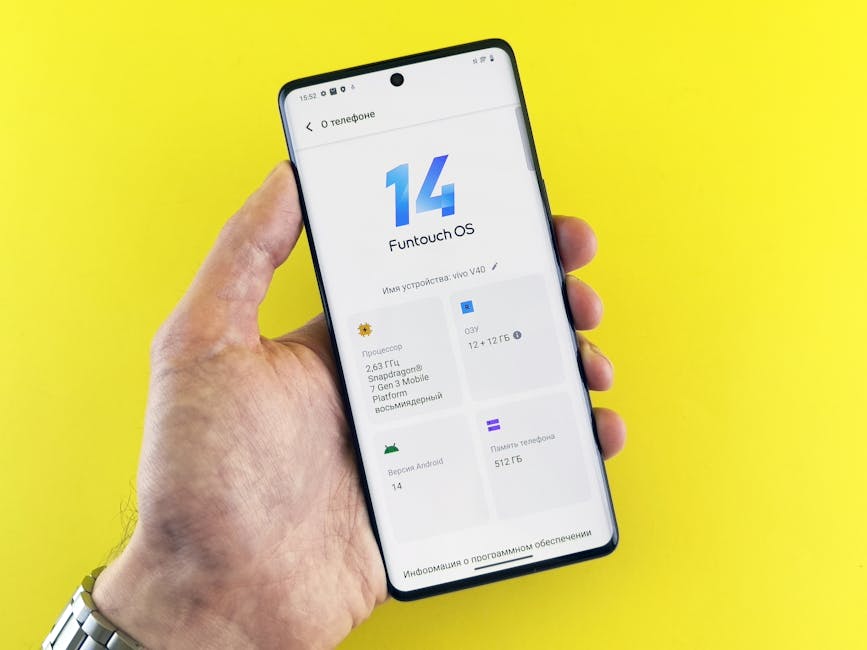
Operating systems and apps do not stay the same size over time. Every update introduces new features, higher-resolution assets, and more complex security protocols. While these updates are necessary for safety and functionality, they are often designed for the latest processor architecture. Consequently, your older processor must execute more lines of code to perform the same basic tasks it did two years ago. This is often referred to as software bloat, where the complexity of the code outpaces the capabilities of the hardware.
The trade-off of modern operating systems
A common mistake here is assuming that every software update is optimized for your specific model. Developers prioritize the current and previous generation of hardware during the testing phase. In contrast, older models often run the new software using legacy compatibility modes that are less efficient. For example, a modern version of Android or iOS may require significantly more background indexing for search and AI features than previous versions. This constant background work consumes CPU cycles that would otherwise be used for your foreground apps.
Key takeaway: Software complexity tends to increase over time, eventually outstripping the processing power of older chipsets.
The hidden impact of background processes
Your phone is rarely doing just one thing at a time. Dozens of apps are constantly vying for RAM and CPU attention to check for notifications, sync data, or track your location. Modern apps, especially social media platforms and communication tools, have become notorious for staying active in the background. Because these apps are designed to provide “instant” updates, they stay resident in the memory. If too many apps try to do this simultaneously, the operating system must aggressively kill and restart processes, which causes the stuttering you feel when switching between apps.
Why social media apps are the biggest culprits
From experience, the most significant drain on resources often comes from apps like Facebook, Instagram, or TikTok, which pre-load content even when the screen is off. These apps use significant amounts of cache and background data. According to Statista (2022), the average social media app has grown in size by over 400% in the last five years, requiring more RAM to simply stay open. If you have a mid-range phone with limited RAM, these background processes act as an anchor on your overall system speed.
Key takeaway: Background apps compete for limited system resources, leading to frequent process killing and interface stutter.
Effective ways to improve phone performance
To reclaim your device’s speed, you must reduce the load on the processor and free up the storage controller. The most effective method is a “digital declutter” that goes beyond just deleting a few photos. You should audit your app list and remove anything you have not used in the last thirty days. Additionally, clearing the cache for heavy apps can provide temporary relief. However, the most effective long-term solution for a severely lagging phone is a full factory reset, which wipes the storage clean and resets the file system structure.
Why a factory reset is the ultimate solution
The part that actually matters is that a factory reset removes the “ghost” files and fragmented data that accumulate over years of OS updates. What most guides miss is that a reset also recalibrates the system’s power management profile. If you choose this route, ensure you backup your data first, then reinstall only the apps you actually need. Using a specialized tool like SD Maid for Android can also help identify “corpse” files left behind by uninstalled apps without requiring a full wipe.
Key takeaway: Reducing storage occupancy and performing periodic factory resets are the most reliable ways to restore system snappiness.
When to stop fixing and start replacing
There comes a point where no amount of software optimization can save a device. This usually happens when the hardware’s instruction set is no longer supported by modern apps or when the battery can no longer provide the peak voltage required by the CPU. Modern processors use a technique called “throttling” to prevent the phone from shutting down when the battery is weak. If your battery health is below 80%, your operating system may be intentionally slowing down the processor to maintain stability. In this scenario, your phone performance is limited by chemistry, not code.
The impact of battery health on CPU clock speed
In practice, a phone with a degraded battery will frequently “downclock” its processor. This means even if you have plenty of storage and no background apps, the CPU is running at half its intended speed. Therefore, before you decide to buy a new phone, check if a simple battery replacement can restore the original clock speeds. If the processor itself is more than four or five years old, however, the hardware bottleneck likely lies in the lack of modern AI processing units or hardware video decoders that current websites and apps rely on.
Key takeaway: If your battery is failing or your processor is several generations behind, hardware replacement is the only viable path forward.
The degradation of your device is a multi-faceted issue involving physical wear, software complexity, and resource competition. By maintaining at least 20% free storage space and managing background app permissions, you can mitigate the most common causes of lag. Furthermore, remember that the battery plays a critical role in how the OS manages CPU speed. Maintenance is not a one-time event but a periodic requirement for any modern piece of hardware. The single clear takeaway is that keeping your storage lean and your battery healthy are the two most impactful things you can do to preserve a high level of speed. If these steps fail, it is a clear signal that the software demands of the modern web have finally surpassed your hardware’s physical capabilities.
Cover image by: Andrey Matveev / Pexels