When your **internet connection drops** during a critical video call or an intense gaming session, the immediate reaction is often to blame the service provider. However, the reality of modern networking is that the failure point usually exists within the final fifty feet of the connection. Understanding why these interruptions happen requires a shift in perspective from seeing the internet as a continuous stream to viewing it as a complex series of handshakes and data packets. This guide will explain the underlying mechanics of network instability and why your hardware might be failing you. By identifying whether the problem is a physical interference, a software conflict, or a hardware limitation, you can move from reactive rebooting to a permanently stable environment. We will look at the architecture of home networks and the specific stressors that cause them to buckle under pressure.
The mechanics of a connection failure
To understand why a connection fails, one must first understand what a “connection” actually is in a modern context. Your devices are not simply “on” the internet, instead, they maintain a constant dialogue with your router, which in turn maintains a dialogue with the ISP gateway. A drop occurs when this dialogue is interrupted long enough for the system to time out. This might look like a total loss of signal, but it is often just a momentary lapse in packet delivery that forces the software to give up. When the timing between these requests exceeds a specific threshold, the session terminates, and you experience a disconnect.
Packet loss versus signal death
In many cases, the signal strength on your device remains high even while the connection fails. This discrepancy happens because “signal bars” only measure the raw power of the radio frequency, not the quality of the data being transmitted. You can have a very loud signal that is completely unintelligible due to noise. In practice, this is often caused by high latency or jitter, where packets arrive out of order or too late to be useful. When a router cannot process these requests fast enough, it drops the packets to protect its own processing cycles, leading to the perception of a dead connection.
Key takeaway: A connection drop is usually a failure of data timing and protocol handshaking rather than a total loss of physical signal power.
Physical interference and environmental barriers
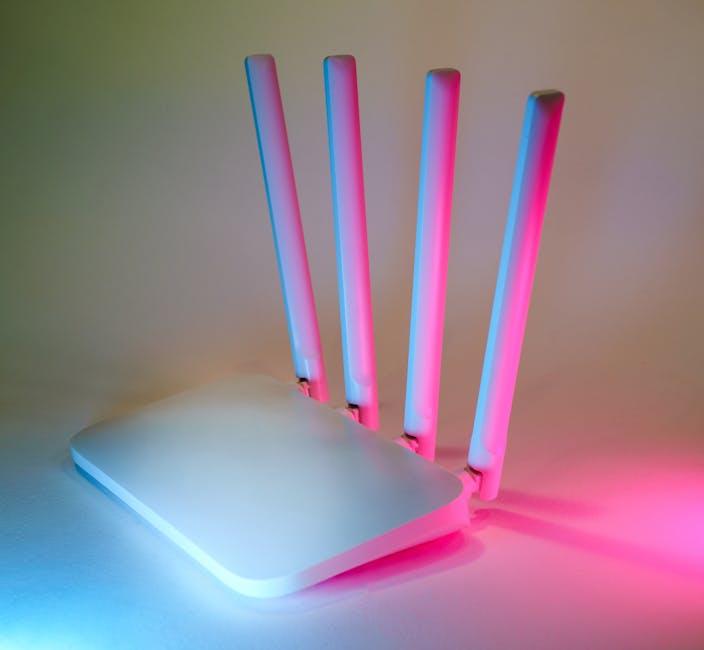
The most common reason an **internet connection drops** in a residential setting is environmental interference. Wi-Fi signals operate on specific radio frequencies, primarily 2.4GHz and 5GHz. These frequencies are incredibly susceptible to physical obstacles and competing signals from other electronics. Materials like brick, concrete, and especially glass with UV coatings can reflect or absorb signal energy. Furthermore, household appliances like microwave ovens and baby monitors often operate on the 2.4GHz band, creating invisible “noise” that drowns out your data.
The congestion of the 2.4GHz spectrum
Historically, the 2.4GHz band was the standard for all wireless communication, but it has become a crowded graveyard of legacy devices. According to Ookla (2023), Wi-Fi interference and congestion in high-density areas account for nearly 40% of all reported home connectivity problems. Because this band only has three non-overlapping channels, your router is likely fighting for airtime with every neighbor in a 100-foot radius. When two routers attempt to broadcast on the same channel simultaneously, they create collisions. These collisions force your devices to re-send data, which slows down the network until the connection eventually times out and drops.
Key takeaway: Environmental noise from appliances and neighboring networks creates data collisions that force your hardware to disconnect and reset.
Hardware fatigue and processing limits
Consumer-grade routers are essentially small computers with a CPU, RAM, and an operating system. Like any computer, they can become overwhelmed or experience memory leaks. From experience, many users keep their routers running for months or even years without a single reboot, allowing background processes to clog the available memory. When the router runs out of RAM, it can no longer maintain the “routing table,” which is the map it uses to send data to the correct devices. At this point, the router will often reboot itself or simply stop responding to new requests, leading to a sudden drop for every device in the house.
The impact of device density on CPU load
Modern homes have significantly more connected devices than they did five years ago. Between smart bulbs, cameras, tablets, and work laptops, a single household might have thirty active connections. Cheaper routers provided by ISPs often lack the processing power to manage the traffic prioritization required for this many clients. According to Broadcom (2022), signal degradation and processing errors in consumer gateways increase by 15% during periods of high ambient temperature or heavy concurrent usage. If your router is hidden in a poorly ventilated cabinet, the heat generated by the processor during heavy use can cause it to throttle its speed or crash entirely.
Key takeaway: Overloaded router processors and lack of memory management are primary drivers of intermittent hardware failure in modern smart homes.
External infrastructure and ISP limitations
While the problem is often internal, we cannot ignore the external factors that influence stability. Your internet arrives via a physical cable, whether it is fiber, coaxial, or copper. These cables are exposed to the elements and can degrade over time. Specifically, copper wiring used in DSL or older cable systems is highly sensitive to moisture and temperature fluctuations. If the “signal-to-noise ratio” (SNR) on your line drops below a certain margin, the modem will lose its sync with the ISP’s headend. This results in a “retrain” where the modem must re-establish its connection, a process that typically takes 30 to 90 seconds.
The hidden problem of bufferbloat
What most guides miss is a phenomenon called bufferbloat. This occurs when your ISP or your router tries to prevent packet loss by buffering too much data during high-traffic periods. While this sounds like a good thing, it actually creates massive spikes in latency. When you are on a video call and someone else on your network starts a large download, the buffers fill up, and your call packets get stuck in a long queue. Eventually, the video software assumes the connection is dead because it hasn’t received data in several seconds, and it drops the call. Using a tool like PingPlotter can help you visualize these spikes and determine if the delay is happening at your router or deep within the ISP’s network.
Key takeaway: External line degradation and internal buffer management issues create latency spikes that trigger software-level disconnects.
How to stabilize your network for good
Stopping **internet connection drops** requires a systematic approach to cleaning up your environment. The first step should always be moving to the 5GHz or 6GHz (Wi-Fi 6E) bands, which offer more channels and less interference than the legacy 2.4GHz band. Additionally, ensuring your router has clear line-of-sight to your most important devices can drastically reduce the retry rate of data packets. For professionals working from home, the most effective solution is often bypassing Wi-Fi entirely for stationary devices. An Ethernet cable provides a dedicated, interference-free lane for your data, removing 90% of the variables that cause drops.
Transitioning to a mesh architecture
In larger homes, a single router often isn’t enough to provide a stable SNR in every room. Many people try to fix this with “range extenders,” but these often make the problem worse by creating a second, weaker network that competes for the same airtime. A better alternative is a mesh system, such as those from eero or Ubiquiti. These systems use a dedicated “backhaul” to communicate between nodes, allowing you to move through your house without your device losing its handshake with the network. Furthermore, check for firmware updates regularly. Manufacturers often release patches that specifically address the memory leaks and “zombie processes” that lead to hardware crashes. You can find more advice on optimizing your digital environment in our networking archive.
Key takeaway: Switching to higher frequency bands and using wired connections for high-priority tasks eliminates the most common sources of instability.
Conclusion
Identifying why your **internet connection drops** is the first step toward building a resilient home office. It is rarely a single catastrophic failure, but rather a combination of signal interference, hardware exhaustion, and protocol timeouts. By understanding that your router is a computer that needs breathing room and that radio waves are easily disrupted by household objects, you can make smarter placement and hardware choices. Start by clearing the physical path for your signal and offloading high-traffic devices to wired connections. If problems persist, look toward mesh networking to provide a more consistent signal-to-noise ratio across your entire space. The single clear takeaway is that network stability is a product of your physical environment and hardware capacity, not just the speed tier you pay for each month. Focusing on the quality of your internal infrastructure will yield far better results than simply upgrading your ISP plan.
Cover image by: Jakub Zerdzicki / Pexels